

Finnish tutor · learn Finnish
A tutor that tells you why you were wrong.
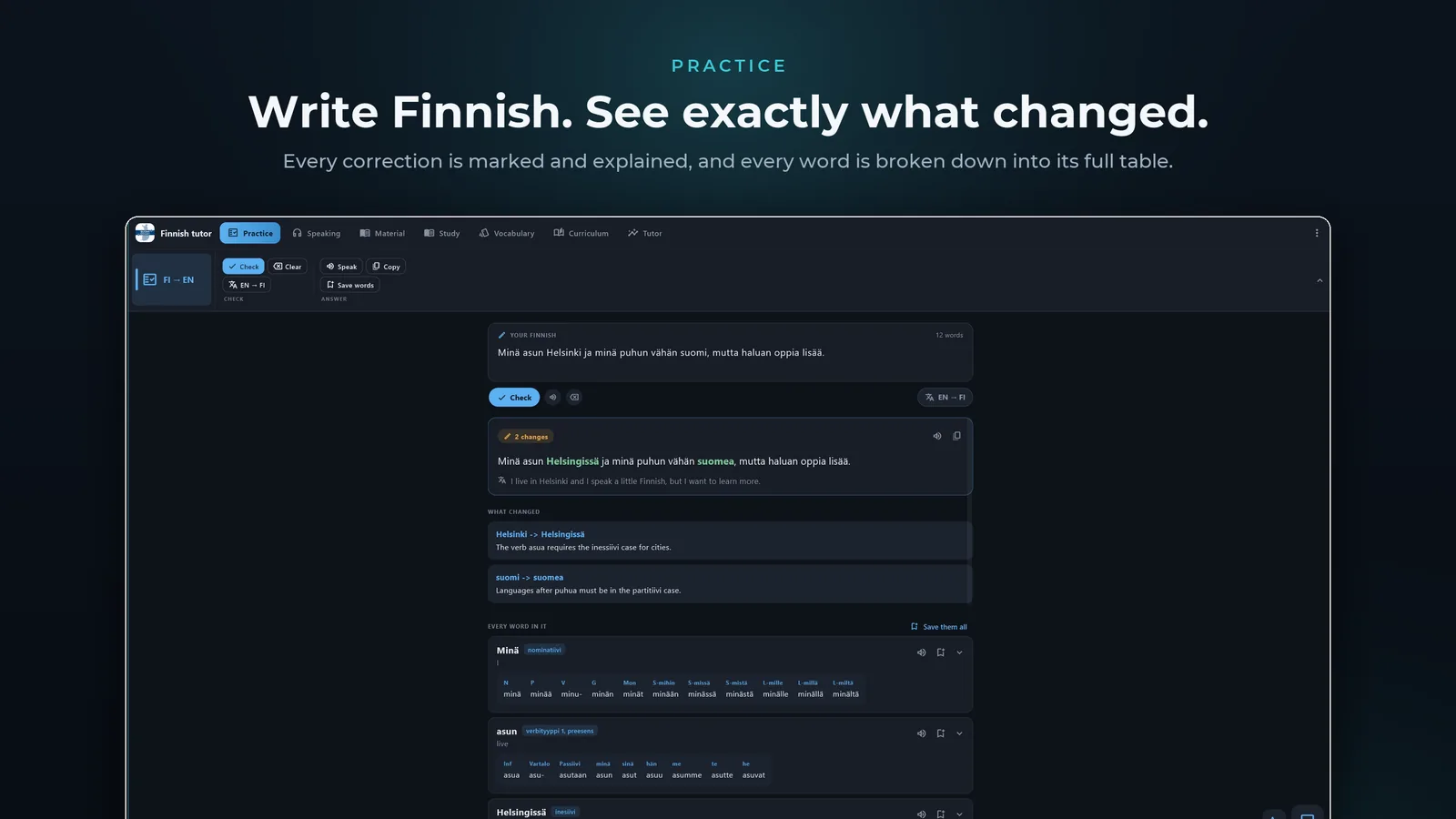
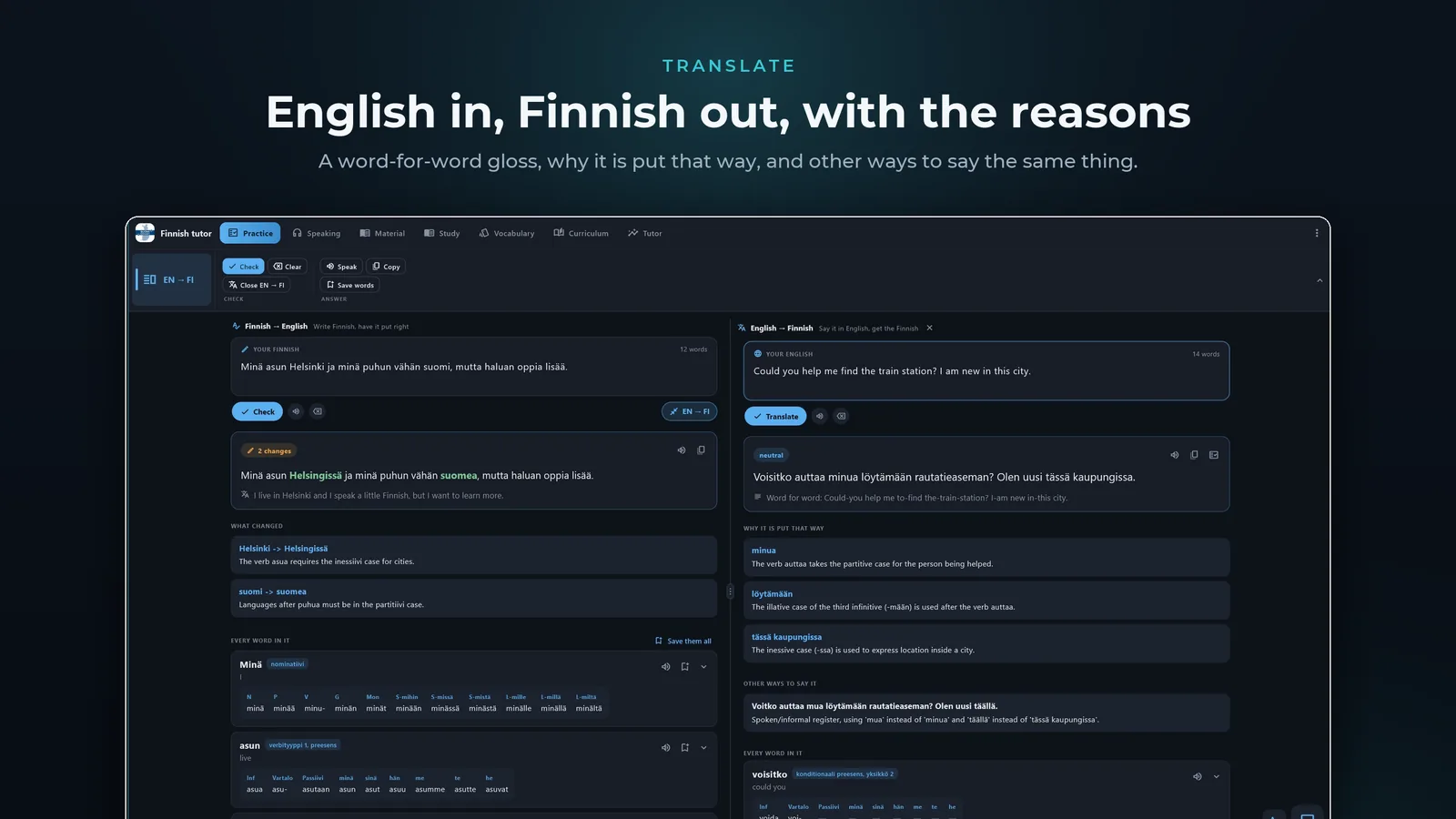
Write a sentence and every change comes back marked, with the rule behind it in plain English. Photograph a page to tap any word in it. Nothing you learn slips away.


Watch the tour
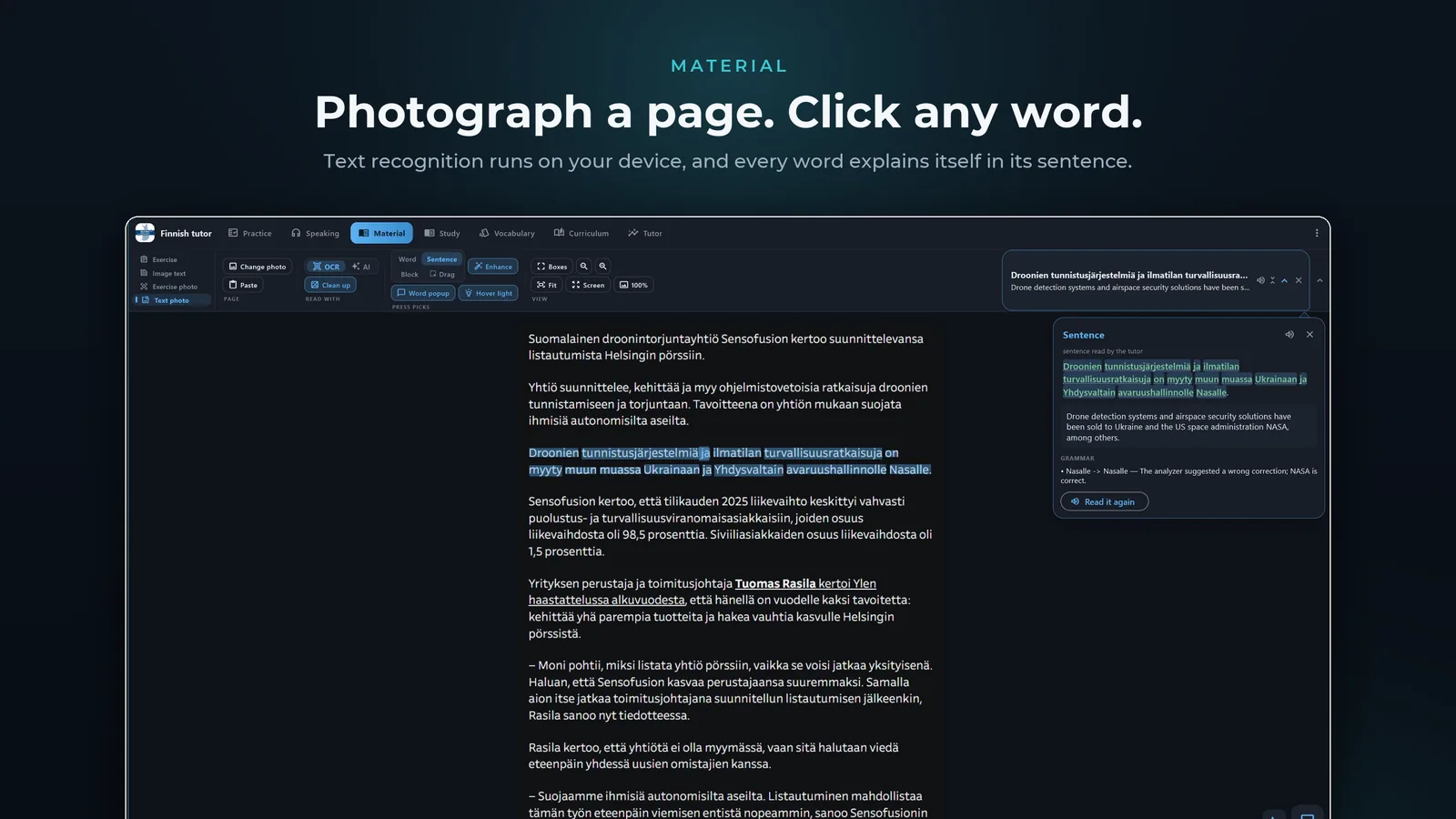
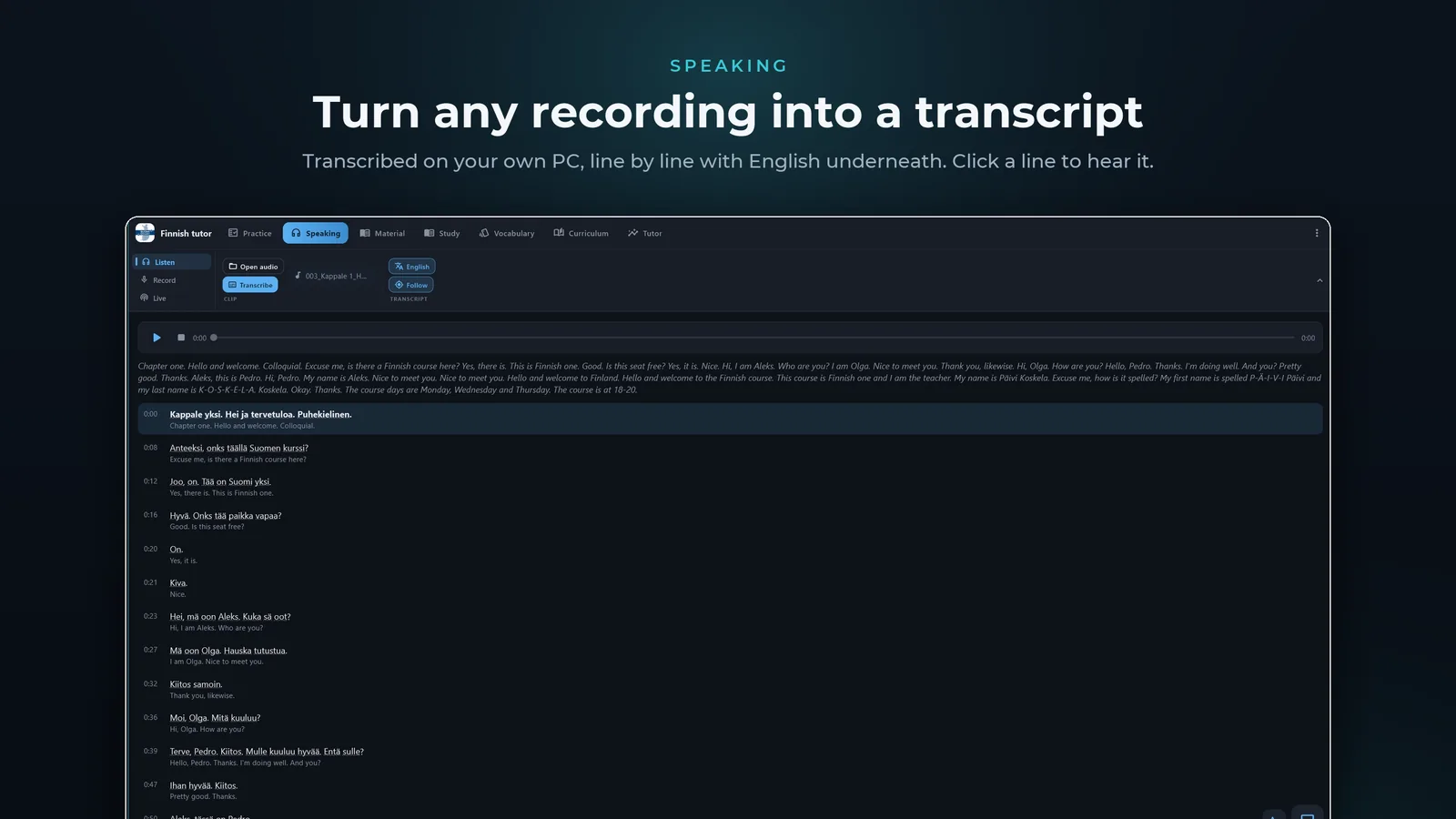
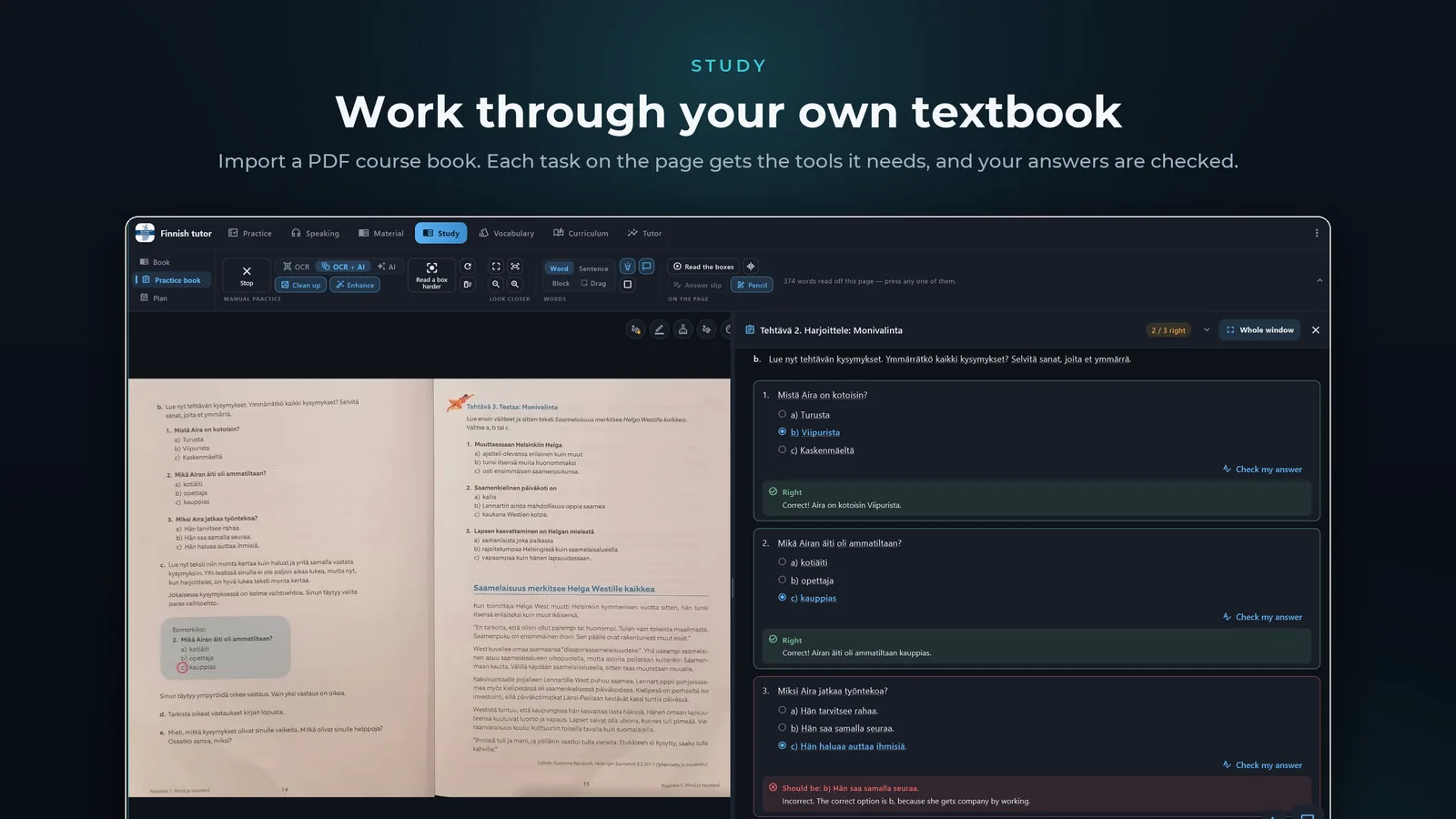
A full run through the app, recorded on the Windows build: checking what you write, turning a recording into a transcript, reading a photographed page, and working through a real textbook.
About nine minutes. Sound on for the Finnish the app speaks, or follow the subtitles.
The same tutor, on your desk
The desktop app pairs with your phone by one QR scan, so your settings come across with you.
Join the test
Become a tester Closed beta
Finnish tutor is in closed testing, so Play only shows it to accounts that joined the tester group. Three steps, once, with the Google account your phone uses.
-
1
Join the tester group
Open to anyone, no approval or waiting. Press Join group on the page that opens.
Join the tester group → Rather not leave a page open? Send a blank email to finnish-tutor+subscribe@googlegroups.com and you're joined by reply. -
2
Accept the invitation
Sign in with the same account and press Become a tester.
Become a tester → -
3
Install it
The listing opens for your account once the first two are done.
If Play says the app isn't available, the account on your phone usually isn't the one that joined the group. Google Play is a trademark of Google LLC.
Set up your free Gemini key
Finnish tutor’s AI half runs on a Google Gemini key that you create yourself, so the requests go straight from your device to Google rather than through us. It is free, takes about two minutes, and never asks for a card. Watch it once, or follow the steps.
1 min 18 s · narrated · recorded in Daybook, the other app — the AI Studio part is identical
-
Open the key page
In Finnish tutor, go to Settings → Gemini AI. The API key box at the top reads No key until you fill it.
-
Go to AI Studio
Open
aistudio.google.com/apikeyin your browser. Any Google account works. -
Accept the terms
Tick the acknowledgement box and press Continue. No billing account is created and no card is requested.
-
Create the key
Press Create API key, keep the project it suggests, then press Create key.
-
Copy it straight away
Tap the copy icon next to the key. It is shown once — if you lose it, just make another.
-
Paste it back and save
Return to Finnish tutor, paste the key into the box and press Save. The pill flips to Key set and the model list fills, which is how you know it works.
Built for the way people actually study
Corrections you can learn from
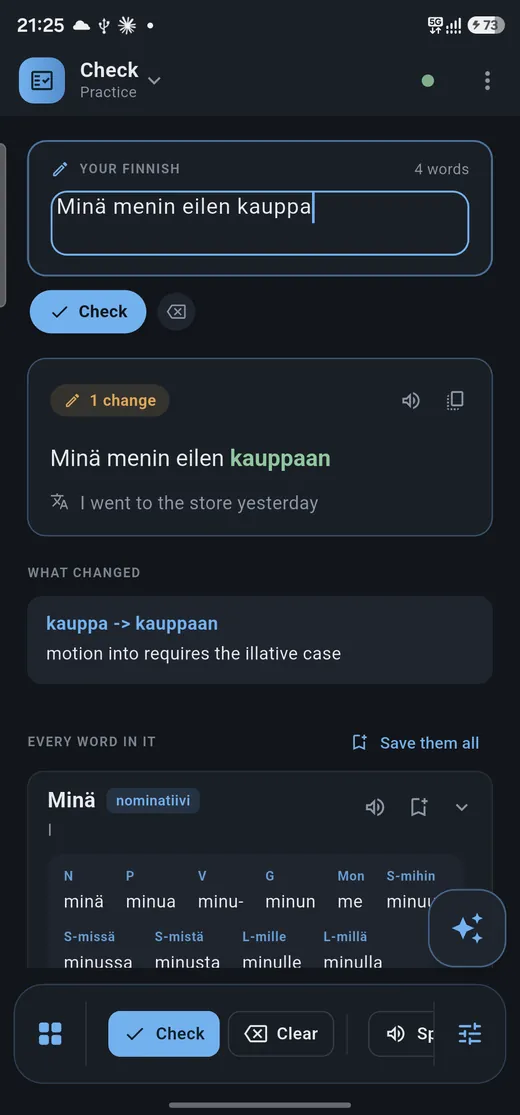
Every change marked, the reason given — “motion into takes the illative” — and the case tables underneath.
Any page, tappable
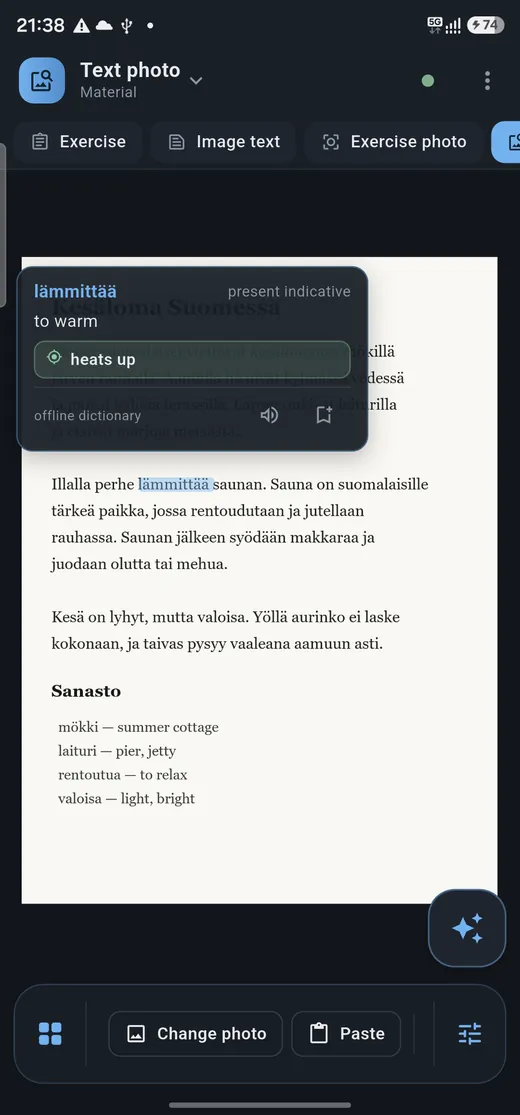
Text recognition runs on the device, so every word in a photographed page opens its dictionary entry.
Speech, transcribed
Record yourself and read back what you said. On Android it never leaves the phone.
Your course book
Import a PDF, turn pages, write on them with a pen, and work through the exercises a page sets.
Words that stay
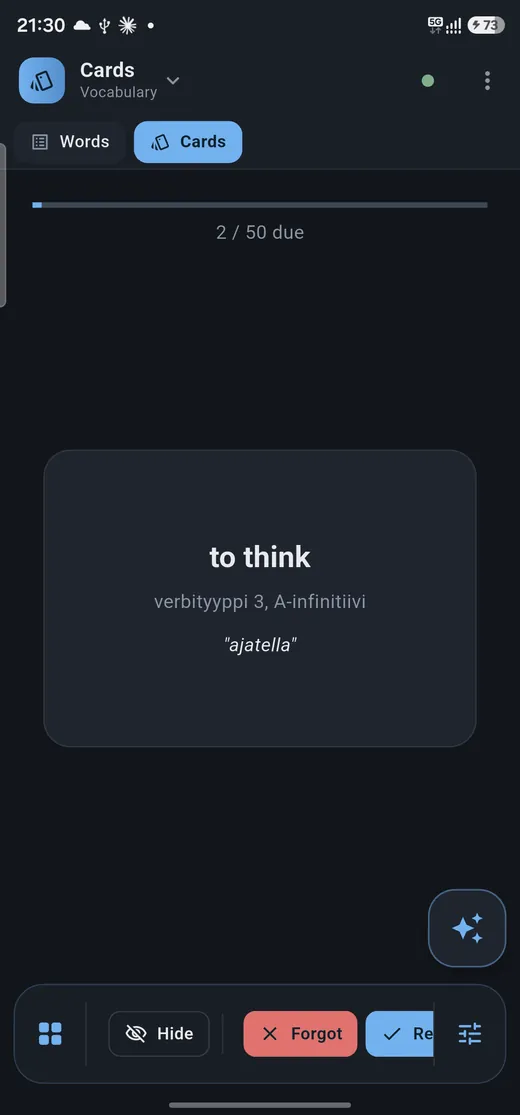
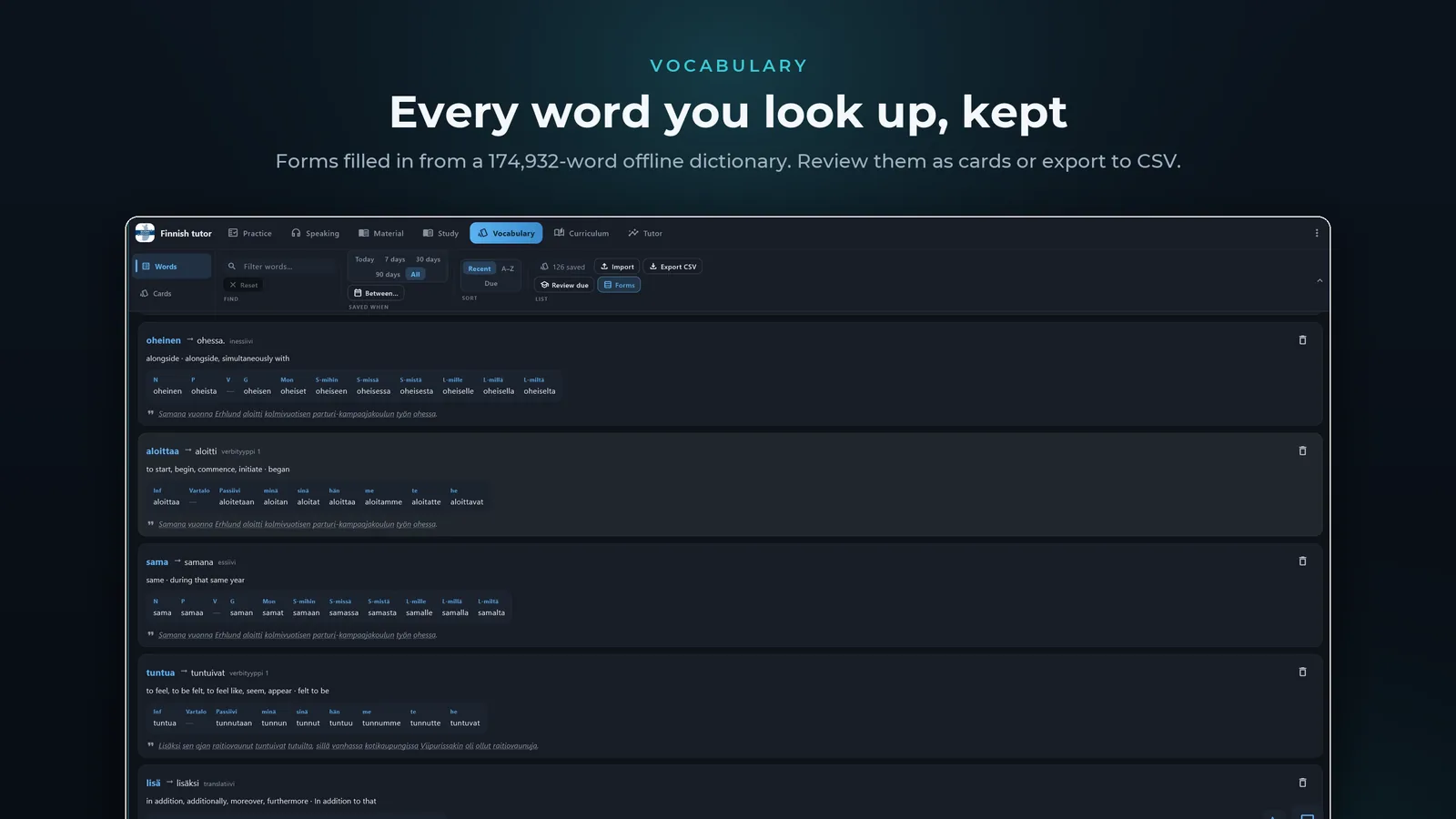
Save from anywhere into one list with the forms filled in. Review as cards, export as CSV.
A syllabus from your mistakes
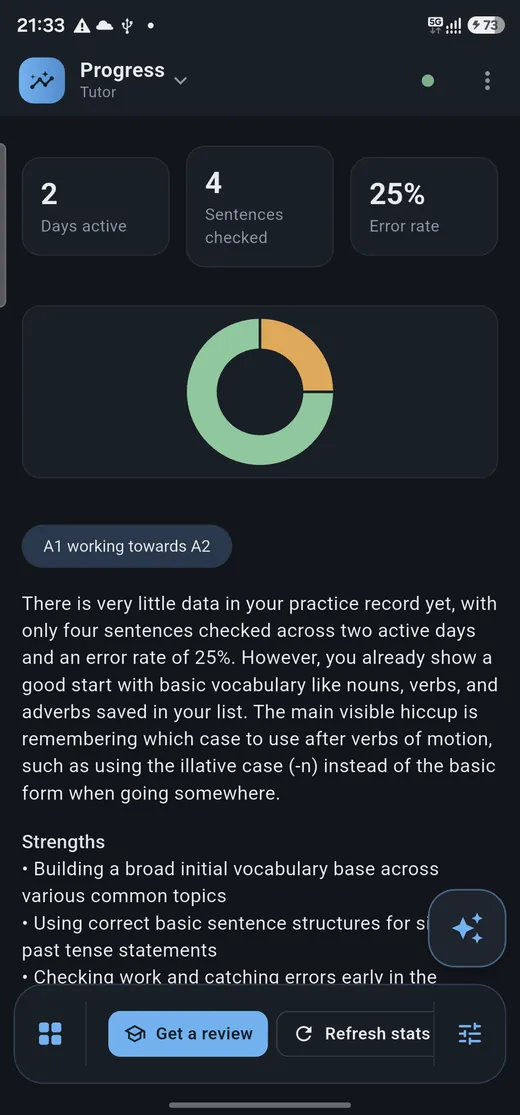
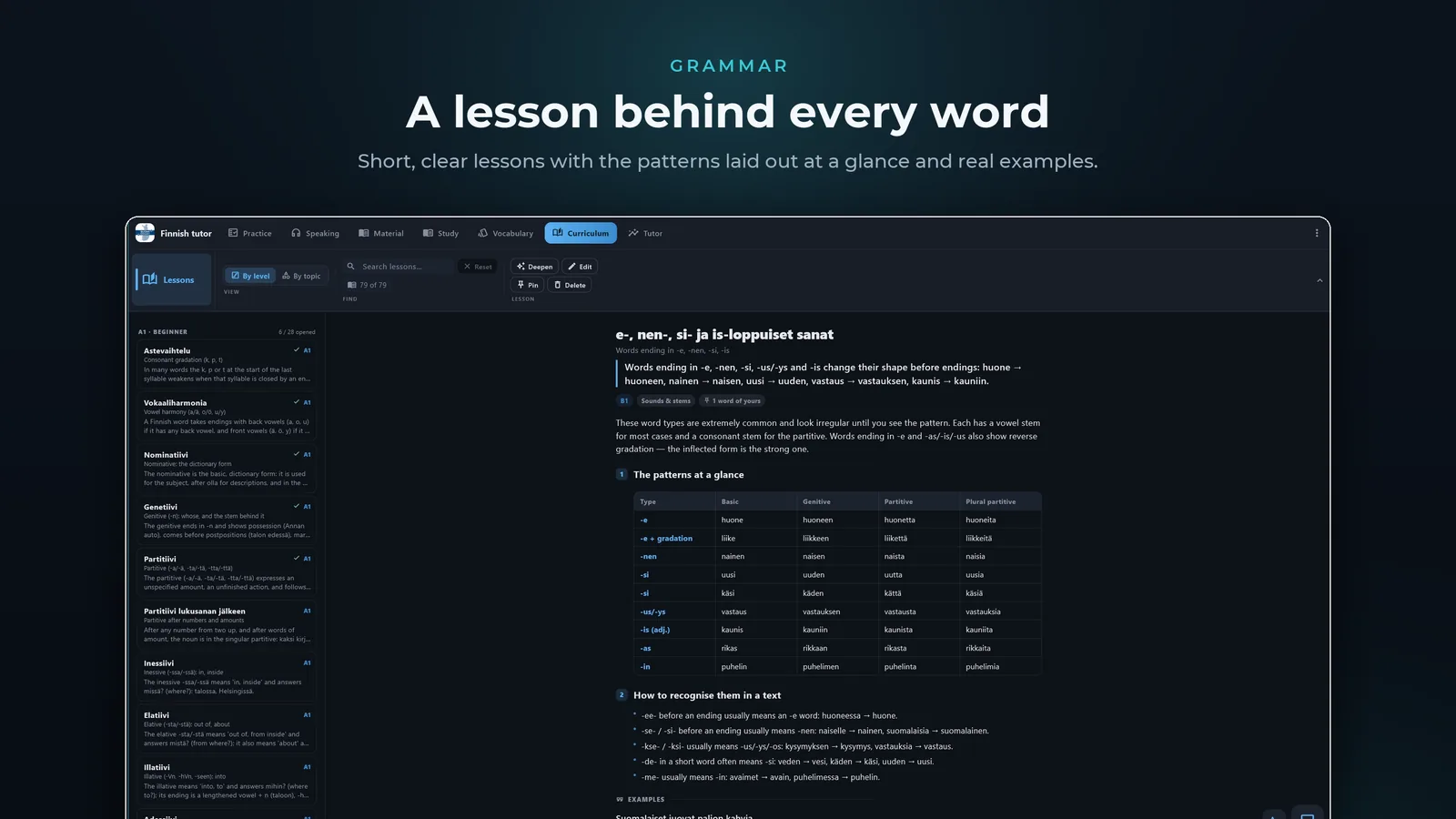
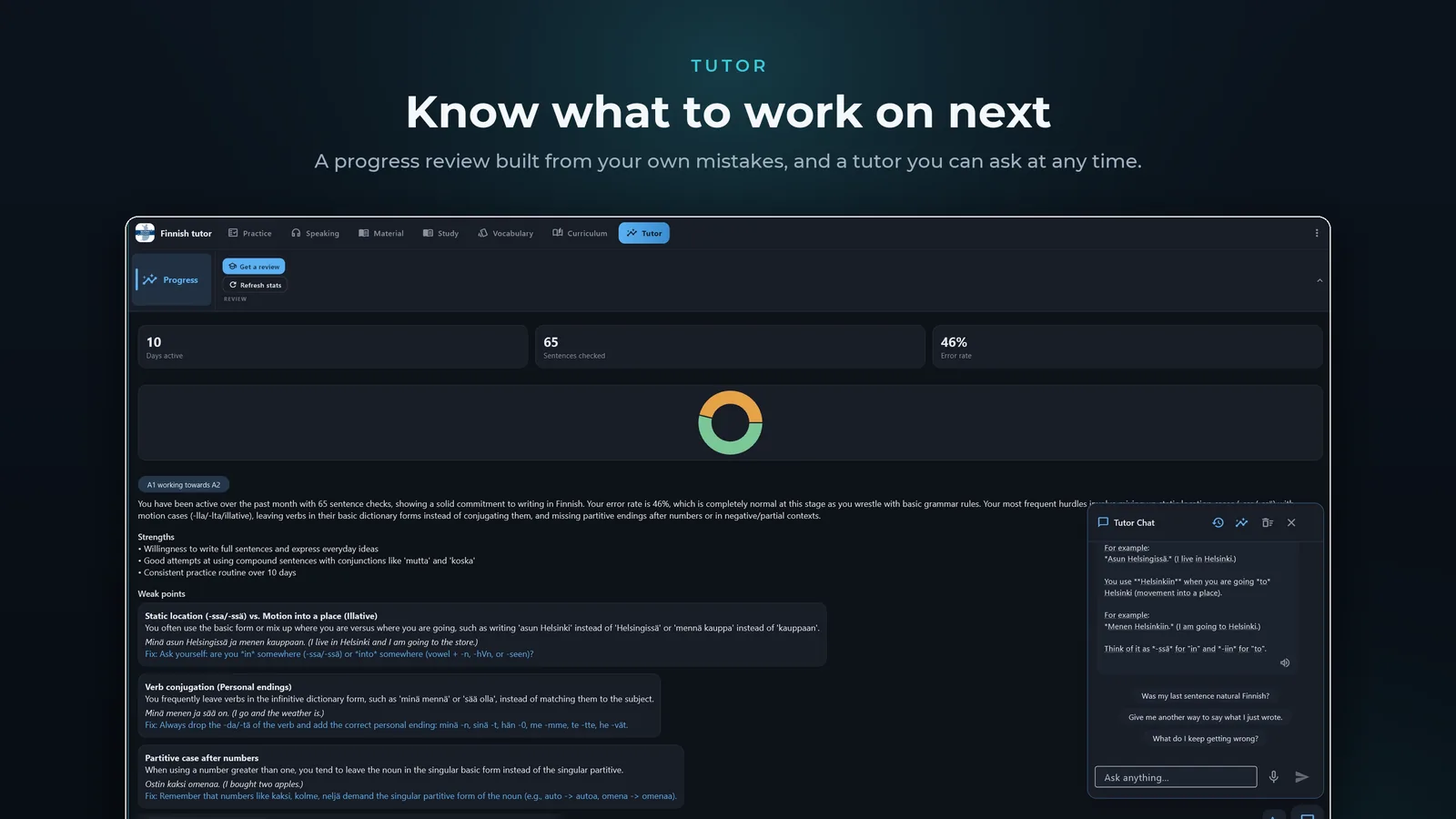
Each correction becomes a topic, so the grammar you keep missing is the grammar you get next.
Four steps cover most of it
Scroll and the phone follows along, or tap a step to jump to it.
Write a sentence
Type or paste it in and press check. Tap any marked change to see which case or verb form applies.
Photograph a page
Point the camera at a textbook or a sign, then tap an unknown word to open it and save it.
Review what you saved
Anything you tap or save becomes a card, spaced so it comes back just before you'd forget it.
See where you stand
Your level, what's solid, and the topics your own mistakes keep pointing at.
Check
What stays, and what doesn't
Pick anything Finnish tutor handles.
Bring your own AI key
The AI features aren't a service we run for you. You make your own free Gemini key and paste it into Settings, and the app calls Google directly from your device, as you. The key sits in the app's own settings storage and never reaches us. Your use of the API is between you and Google.
Works without a key offline
If you never add one, the offline half keeps working: 174,932 bundled headwords, tap-a-word lookup, word forms, your saved list, the review cards, the PDF reader, text recognition and speech-to-text.
Camera pages & exercises
Opens only when you start it: photographing a page or an exercise, or scanning the pairing QR code from the desktop app. Recognition runs locally first, so where the device can read the text itself, the text is sent rather than the picture. Photos aren't uploaded anywhere else or added to any gallery.
Microphone local by default
Used only while you're recording, after you press record. Transcription runs on the device by default — Whisper through sherpa-onnx on Android, faster-whisper on Windows — and your audio stays there. Sending audio to Gemini is a fallback for when local transcription is off or unavailable.
Google sign-in optional · drive.file
Optional, and there for one thing: syncing your word list through your own Drive with the
narrow drive.file scope, which reaches nothing but the files the app created.
No feature is locked behind signing in.
What it doesn't do
- No ads, no analytics, no trackers, no crash reporting.
- No accounts, no back end, no server of ours.
- Your sentences, recordings, photos and word list never reach us.
The privacy policy goes feature by feature and says exactly what is and isn't sent to Gemini.
Platforms
- Android
- On Google Play as Finnish tutor (
com.ahmedyosri.finnish_tutor). In closed testing — join the test to install it. - Windows
- Desktop build on the Microsoft Store, with one-scan QR pairing to carry your settings across from the phone.
- Price
- Free on Android. $2.69 on the Microsoft Store for Windows.
Questions
Does it work offline?
Do I pay for the AI features?
Found a bug, or want something added? Contact us. It reaches the developers who build it.